





Answer generation
The answer arrives as the question is asked
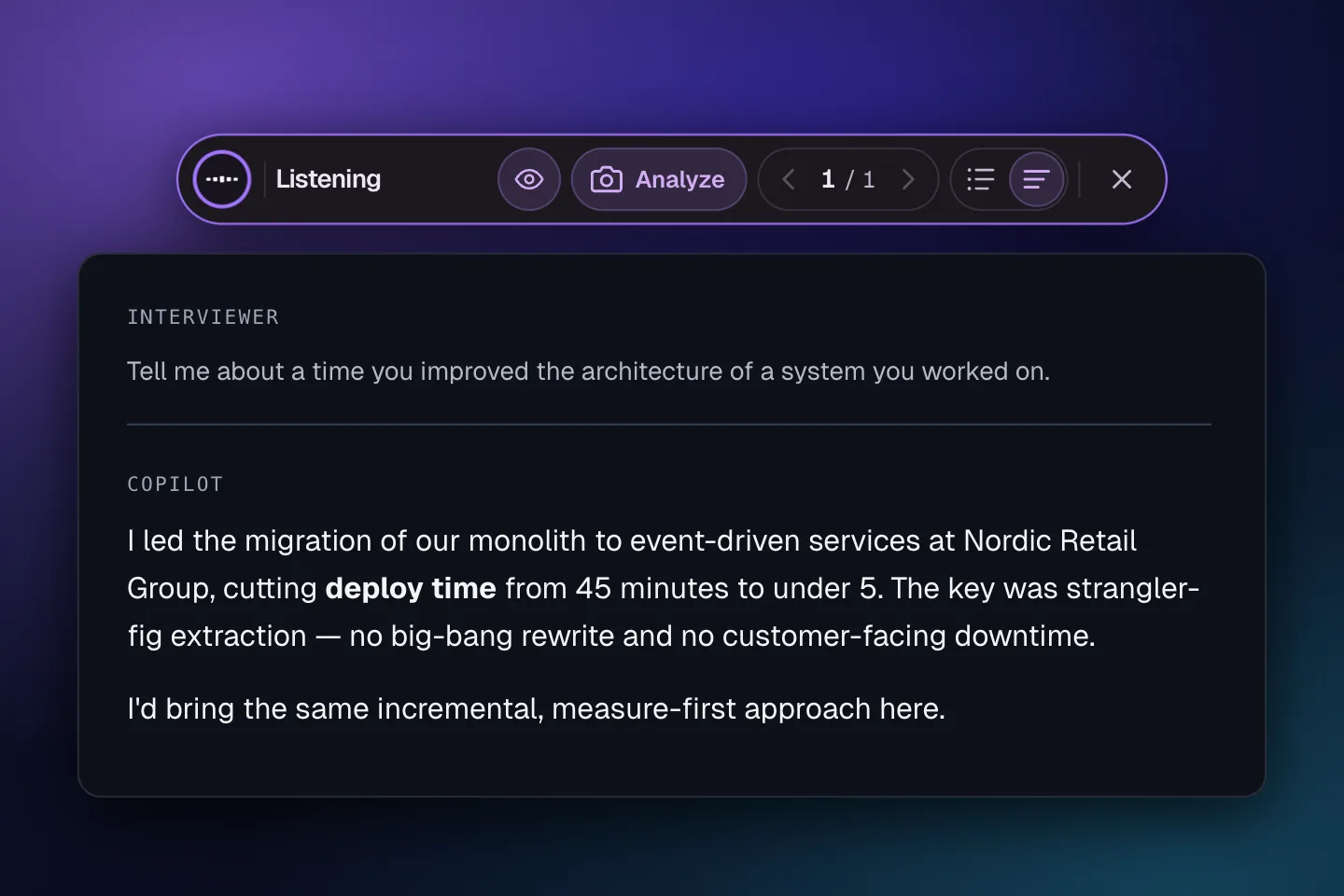
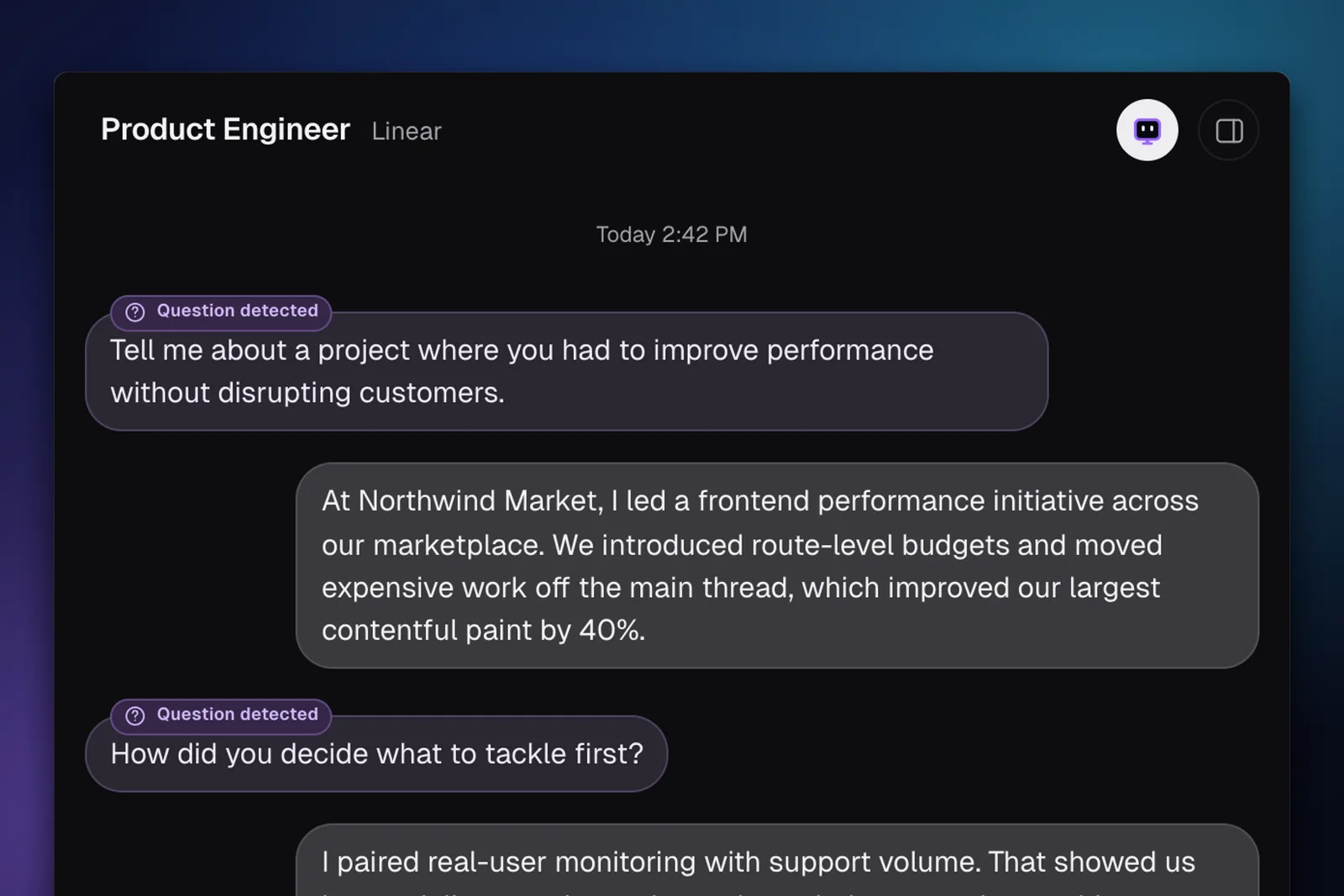
The copilot hears each question over system audio and streams an answer in under a second, written the way you would say it and drawn from your own experience.

Landed jobs at companies like
Google, Meta, Apple, Netflix, Stripe, Amazon, Microsoft, Spotify, Uber, Airbnb.
Download the desktop app and test it on a practice interview before the real one.
No credit card needed
Why candidates choose InterviewCopilot
One toolkit for behavioral, technical, and case interviews, built to keep up with a live conversation.
Answer generation
The copilot hears each question over system audio and streams an answer in under a second, written the way you would say it and drawn from your own experience.
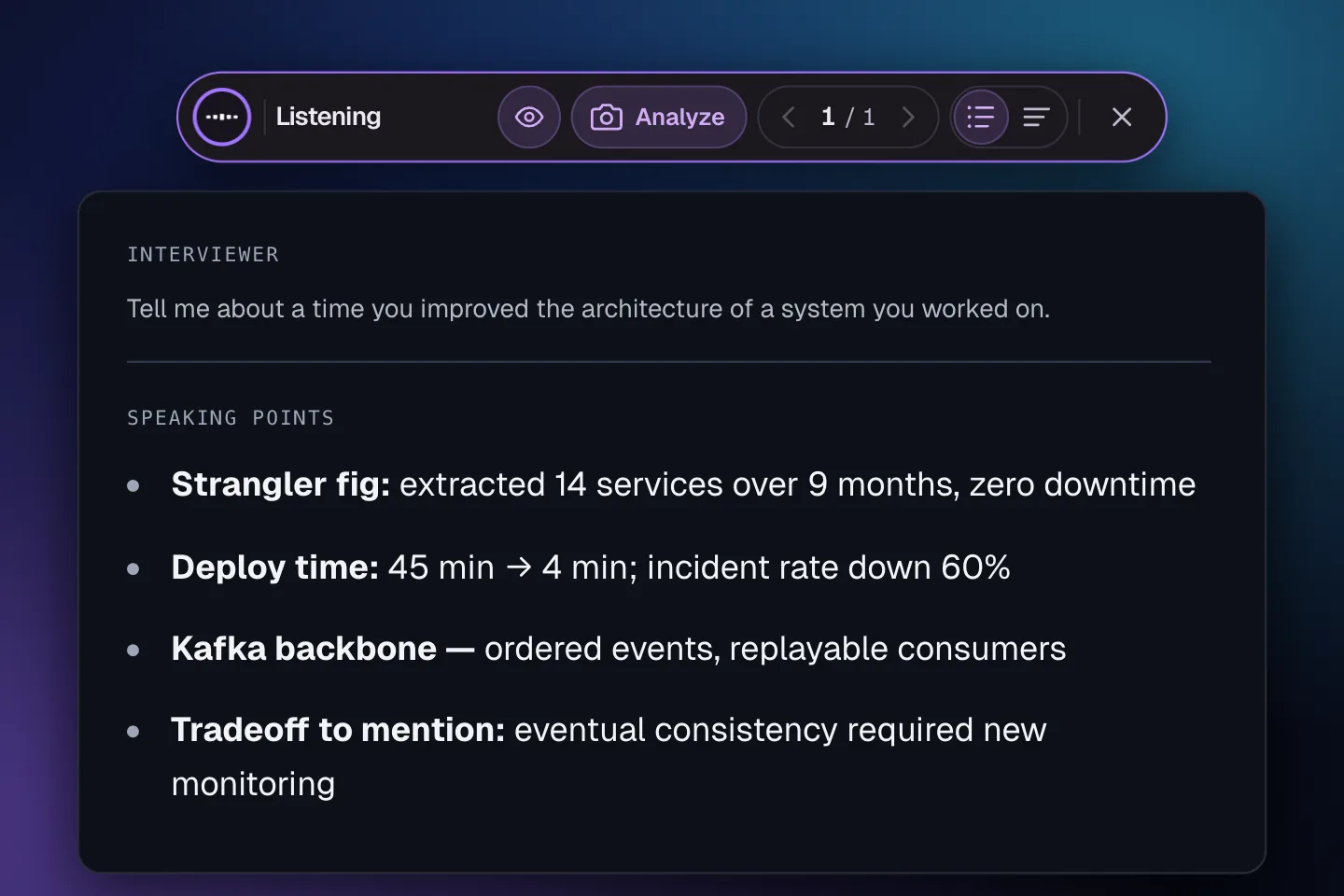
Glance mode
Switch to short highlights when you need to hold eye contact. Same answer, compressed into cues you take in within seconds.
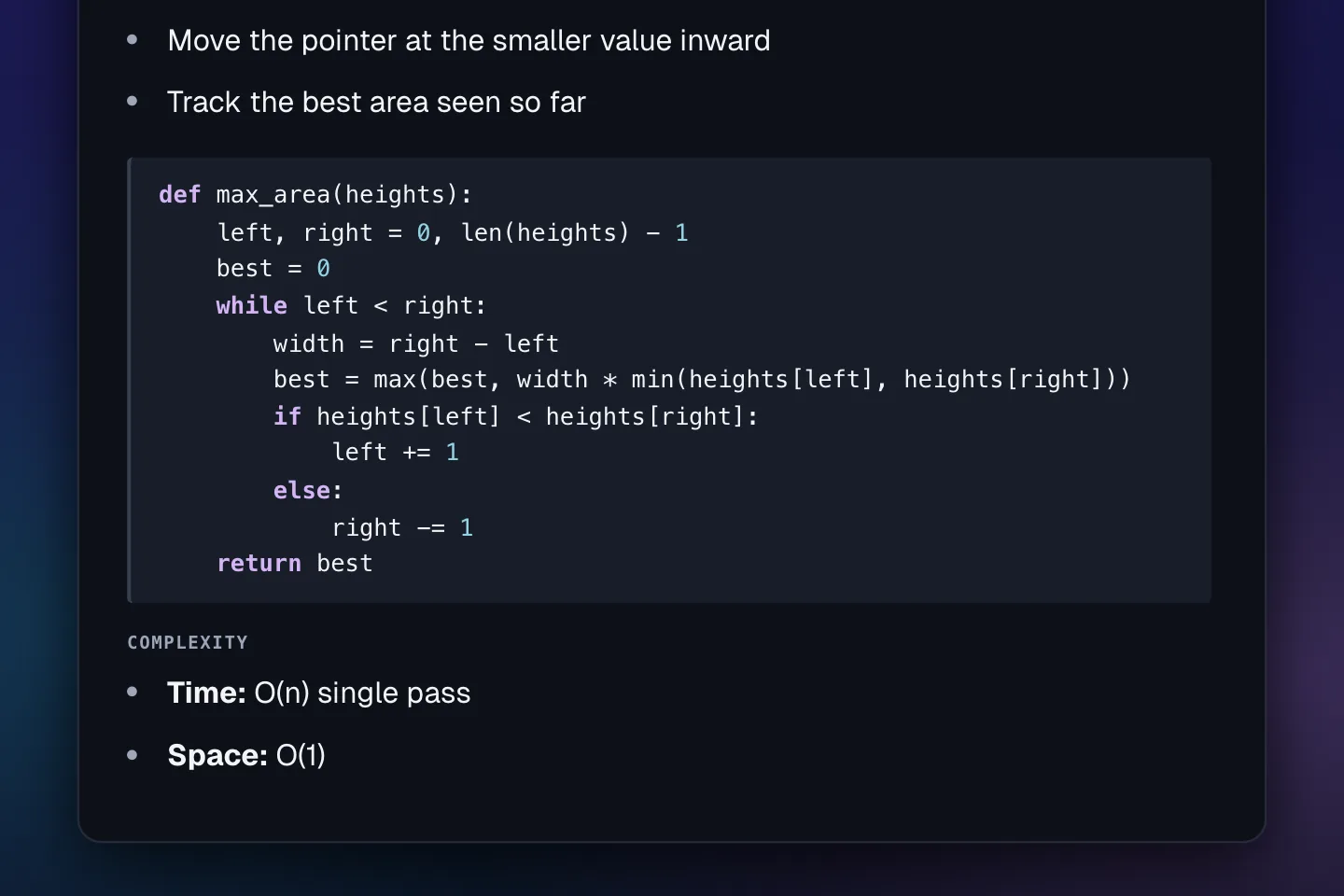
Coding mode
Capture the task from your screen with one shortcut. Specialized coding models return the approach, working code, and the time and space complexity.
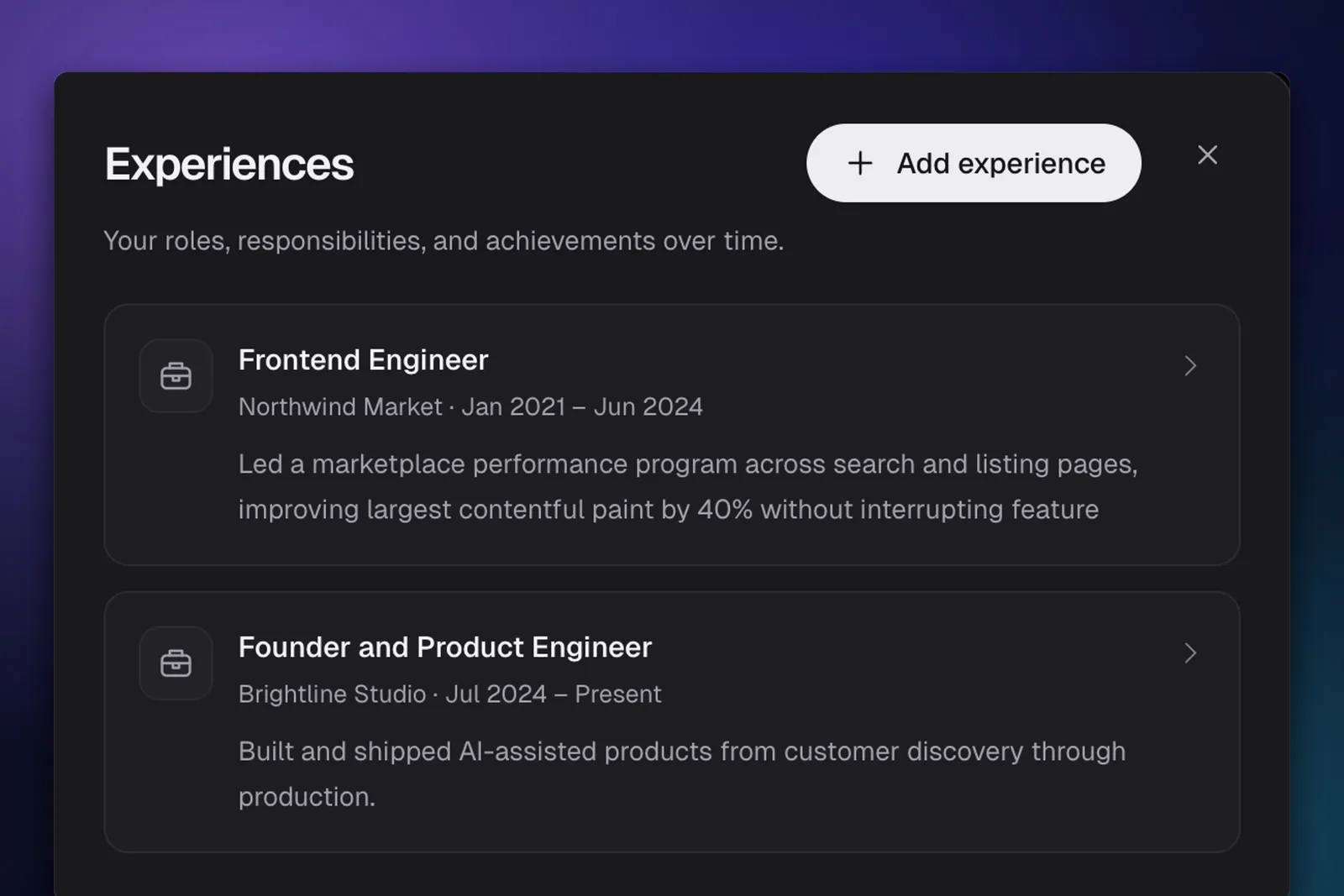
Career profile
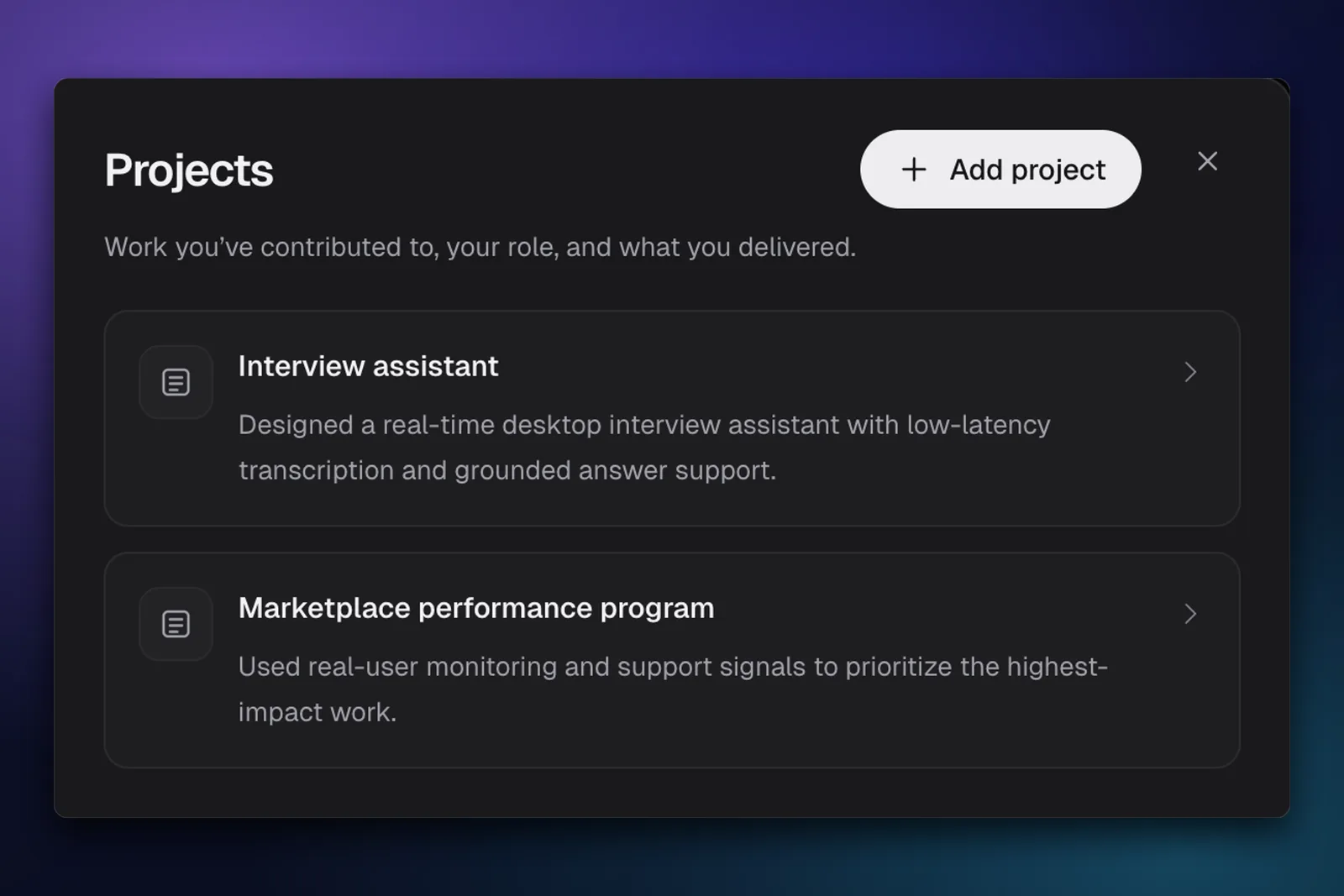
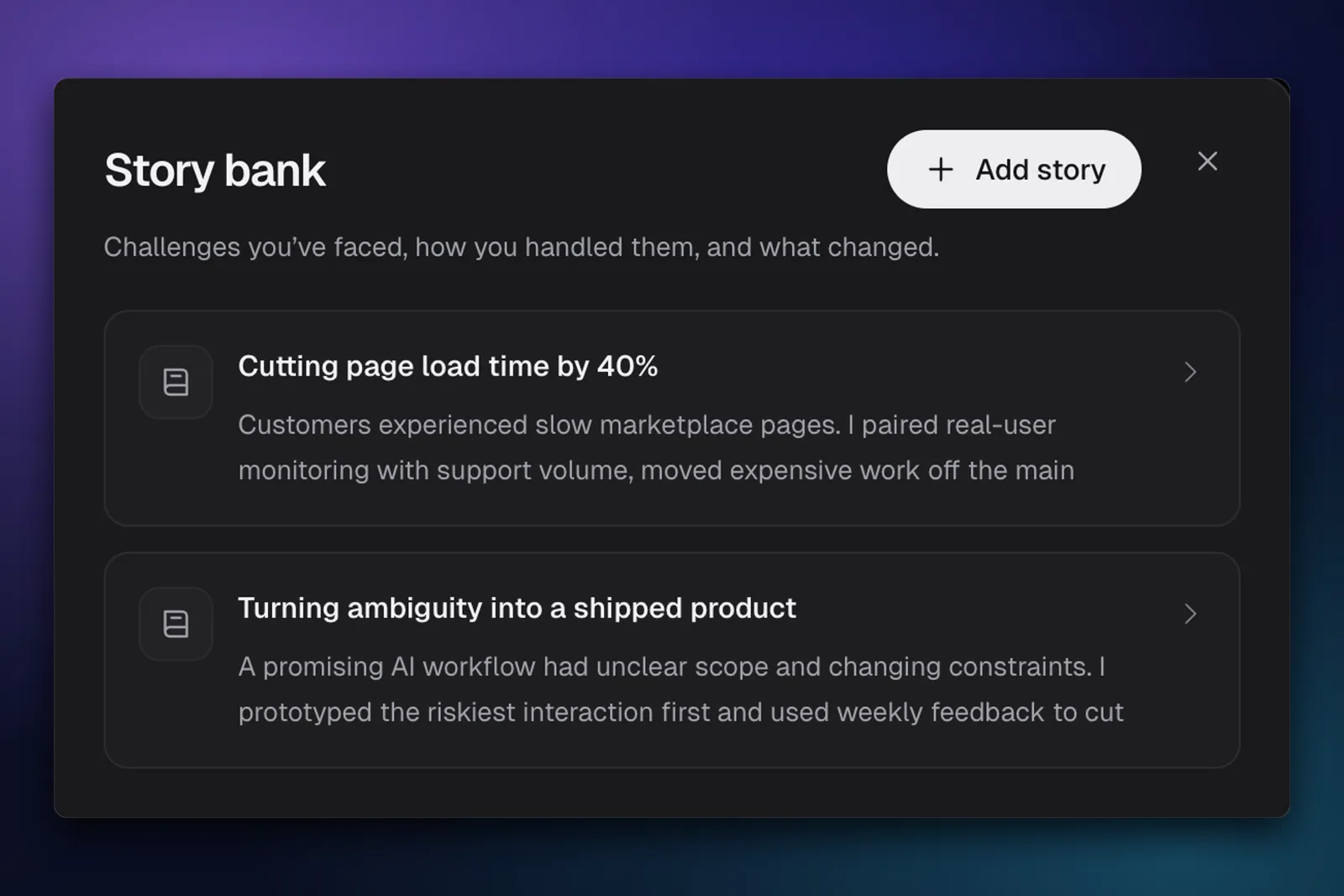
Your experience, projects, and best stories—all in one profile. Choose what matters for each position, and get answers grounded in what you’ve actually done.
Conversation memory
Interviewer and candidate audio are transcribed live, so follow-up answers stay in context and you can review the whole conversation afterwards.
The overlay stays hidden when you share a window or your entire monitor. No bot joins your meeting, and only you see the answers.
See how it stays hidden

Works with Zoom, Google Meet, Microsoft Teams, and more. Join your call as usual—InterviewCopilot listens to your computer’s audio and gives you answers in a separate, private overlay.
Try it for free on your Mac or Windows computer. No credit card needed.
Simple pricing
Save 75% with yearly billing.
$49/month
Choose planInterviewCopilot works like a smart teleprompter for your own experience: structure, reminders, and clarity when the pressure is on. We include best-practice guidance and optional disclosure tips so you can use AI confidently and responsibly.
It runs as a desktop app, so no bot joins your meeting. It listens to your interview, detects each question in under a second, and shows an answer on your screen.
Yes. Because it's a standalone desktop app rather than a browser extension, it works with any video conferencing platform, including Zoom, Google Meet, Microsoft Teams, and Webex.
InterviewCopilot is a native macOS and Windows app that runs beside your meeting, not inside it. Its private overlay stays hidden whether you share a window or an entire monitor. Only you see it.
We view it as a smart teleprompter for your own experience. Answers draw on your résumé and the job description, so they remind you of work you actually did instead of handing you skills you don't have.
Yes. You can try it for free, and no credit card is needed. Download the app, sign in, and play a mock interview to watch it detect the questions and answer them.
You can cancel renewal at any time from your account billing settings. No email, no retention call. Your access runs to the end of the period you've already paid for, and there's no cancellation fee. Every payment also has a 100% money-back guarantee: email hi@interviewcopilot.ai within 7 days of the payment for a full refund. A refund ends your access for the period that payment covered.
Privacy is our priority. InterviewCopilot streams interview audio for transcription rather than storing it. We store final transcript segments and the context needed to provide the service securely with your account, and we never train public models on your interview data.